Trigonometry & Geometry Solver3.1
Publisher Description
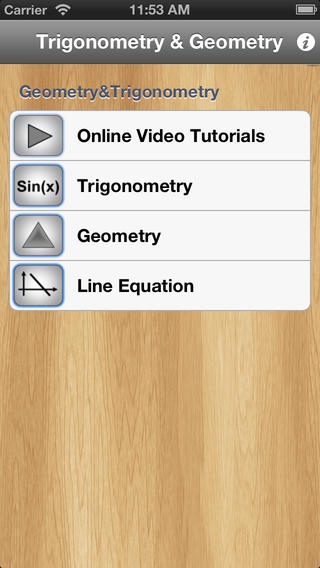
Welcome to Trigonometry & Geometry Solver
~~~~~~~~~~~~~~~~~~~~~~~~~~~~~~~~~~~~~~~~~~~~~~~~~~~~~~
PLEASE NOTE : This application is PART of Math Homework Solver .
So, if you own a copy of Math Homework Solver, Don t Buy This App.
~~~~~~~~~~~~~~~~~~~~~~~~~~~~~~~~~~~~~~~~~~~~~~~~~~~~~~
This application provides DETAILED SOLUTIONS to problems in the following topics:
Trigonometry
~~~~~~~~~~~~~~~~~~~
Trigonometry functions
Trigonometry inverse functions
Solve SSS triangle
Solve SAS triangle
Solve ASS triangle
Solve AAS triangle
Geometry
~~~~~~~~~~~~~~~~~~~
Find triangle area given 3 sides
Find triangle area given side & height
Pythagorean theorem
Find trapezoid area
Find square area & perimeter
Find rectangle area & perimeter
Find parallelogram area
Regular polygon
Find circle area & perimeter
Cube volume & surface area
Cylinder volume & surface area
Solid rect volume & surface area
Sphere volume & surface area
Line Equation
~~~~~~~~~~~~~~~~~~~
Distance from point to a line
Find line equation by slope & point
Distance between two points
Find line equation by two points
Two line interaction
Find a parallel line through a point
Find a perpendicular line through a point
Midpoint calculation
Use it to learn how to solve and to check your solutions.
@@@@@@@@@@@@@@@@@@@@@@@@@@@@@@@@@@@
If you need more solvers we recommend you to buy the complete application:
Math Homework Solver.
@@@@@@@@@@@@@@@@@@@@@@@@@@@@@@@@@@@
Requires iOS 5.0 or later. Compatible with iPhone, iPad, and iPod touch.
About Trigonometry & Geometry Solver
The company that develops Trigonometry & Geometry Solver is TG Softwares. The latest version released by its developer is 3.1.
To install Trigonometry & Geometry Solver on your iOS device, just click the green Continue To App button above to start the installation process. The app is listed on our website since 2010-12-22 and was downloaded 4 times. We have already checked if the download link is safe, however for your own protection we recommend that you scan the downloaded app with your antivirus. Your antivirus may detect the Trigonometry & Geometry Solver as malware if the download link is broken.
How to install Trigonometry & Geometry Solver on your iOS device:
- Click on the Continue To App button on our website. This will redirect you to the App Store.
- Once the Trigonometry & Geometry Solver is shown in the iTunes listing of your iOS device, you can start its download and installation. Tap on the GET button to the right of the app to start downloading it.
- If you are not logged-in the iOS appstore app, you'll be prompted for your your Apple ID and/or password.
- After Trigonometry & Geometry Solver is downloaded, you'll see an INSTALL button to the right. Tap on it to start the actual installation of the iOS app.
- Once installation is finished you can tap on the OPEN button to start it. Its icon will also be added to your device home screen.
